
💹Pump Opening and Buying Guide
Launch a token on Pump.fun and coordinate opening purchases from multiple Solana wallets, setting token metadata, buy amounts and transaction fees.
Tiered platform service fee, starting from 0.035 SOL.
How to Use the Pump.fun Opening and Buying Tool:
Connect Your Wallet
Enter the Name You Want to Set for the Token (Full Project Name)
Fill in the Token Symbol (up to 10 characters, token abbreviation)
Upload the Token's Logo Image
Fill in the Token Description for Public Display
Enter the Amount You Want to Buy with Your Current Wallet (Optional)
Add Token Description and Social Links (Optional)
Set Parameters for Other Wallets to Buy (Supports up to 16 wallets for 100% earliest buys)
Set Jito Tip (Optional)
Submit On-Chain to Complete Pump Opening and Buying
Preparation:
A computer or a mobile phone
Solana wallet (Phantom wallet installation tutorial)
At least 0.1 SOL in the wallet (Pump official will charge 0.02 SOL)
Relevant information and logo of the token
Private keys of the addresses to buy and some SOL
Specific steps:
Connect Your Wallet
SlerfTools currently supports various popular Solana wallets, such as Solflare, Phantom, OK Wallet, etc. This example uses the Phantom wallet.
Pump Opening and Buying: https://slerf.tools/en-us/pump-launch-and-buy-token/solana
Enter the SlerfTools Pump Opening and Buying page, and you can switch the language in the upper right corner.

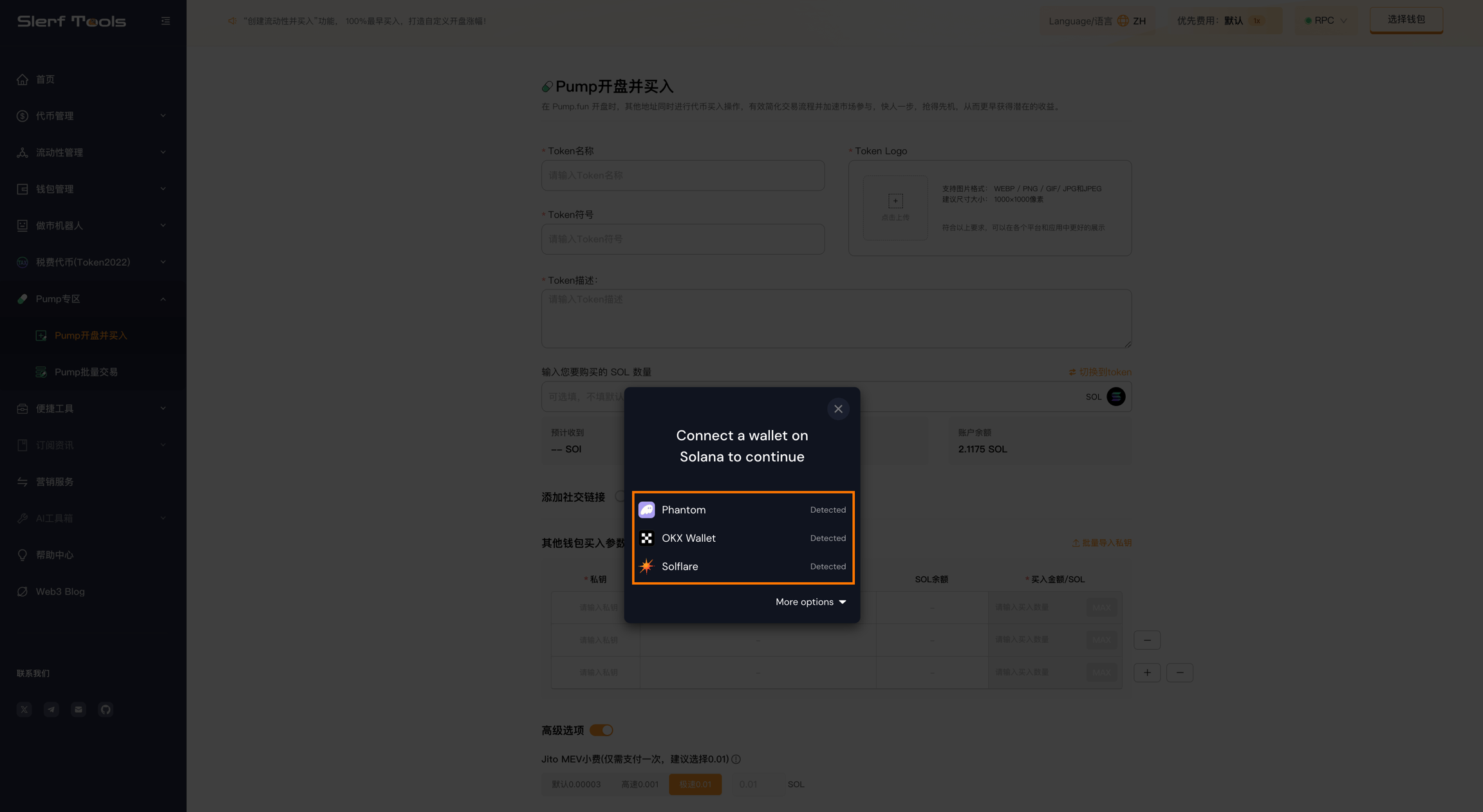
Fill in the token-related information

Enter the amount you want to buy with your current wallet (optional)

Set parameters for other wallets to buy:
You can manually import or bulk import private keys (supports up to 16 addresses for 100% earliest buys).
After importing, set the amount of SOL each wallet will buy (wallet balance must be ≥ 0.1 SOL).
By default, there are 3 wallet address input fields. If you only need 1 or 2 addresses to buy, delete the extra input fields.
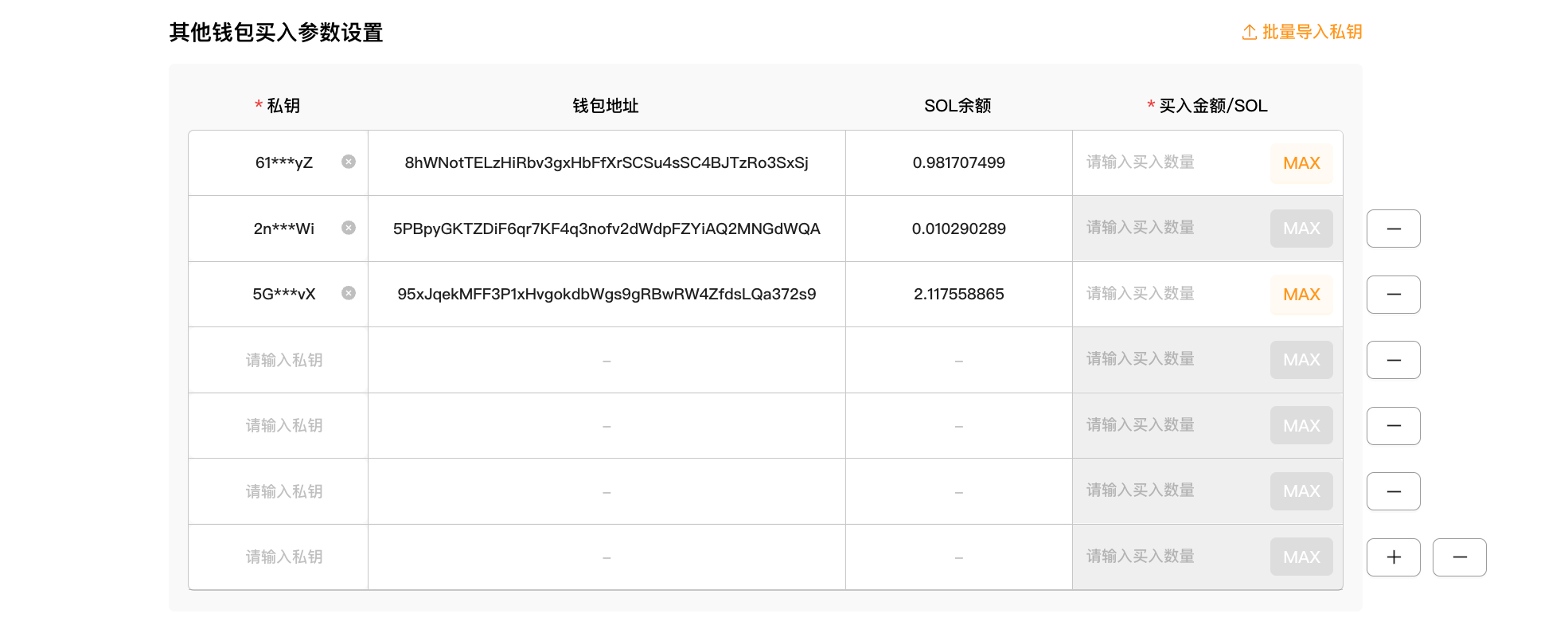
Set the Jito tip (optional).
Jito tips can be simply understood as a "bribe" fee that users choose to pay to miners to increase the priority of the transaction. The higher the fee, the faster the transaction gets on the chain.

Submit on-chain to complete Pump opening and buying:
Generate metadata
Sign and submit on-chain
Deploy and trade on-chain

Last updated
Was this helpful?